

PACO for Patients

PACO (The Patient and Care Optimiser) is an online platform provided by Blinx Healthcare that your healthcare organisation uses to help you access its services and stay connected with its team.

Depending on the services your healthcare organisation offers, you may be able to use PACO to manage appointments, complete health forms, read messages, view shared documents and more.

Your healthcare organisation is responsible for your care. Blinx Healthcare provides the technology that helps you access its services.

PACO does not provide medical care, medical advice or emergency support. If you have a health concern or need help with your care, please contact your healthcare organisation directly.

Image of PACO for Patients

Need Help? Contact Your Practice Directly

PACO is a digital tool that helps connect you with your healthcare providers. Any questions or concerns should be directed to your healthcare providers.

If you need medical help, have questions about a message, or want to change an appointment, please reach out to your practice directly.

Getting Started With PACO

New to PACO? Learn how to access your practice’s online services and find your way around your patient hub.

Your PACO Overview

PACO makes it easier to access the online services offered by your healthcare practice. Watch our video to see how to access the Patient Hub, sign in and make the most of the services available to you.

Access Your Care Online With PACO

Explore the online services available through your practice’s website, or access a specific service using a secure link sent directly to you.

Your practice may send you a secure link by text or email, taking you straight to an online service. This could be an invitation to complete a health form, book an appointment or access support relevant to your needs.
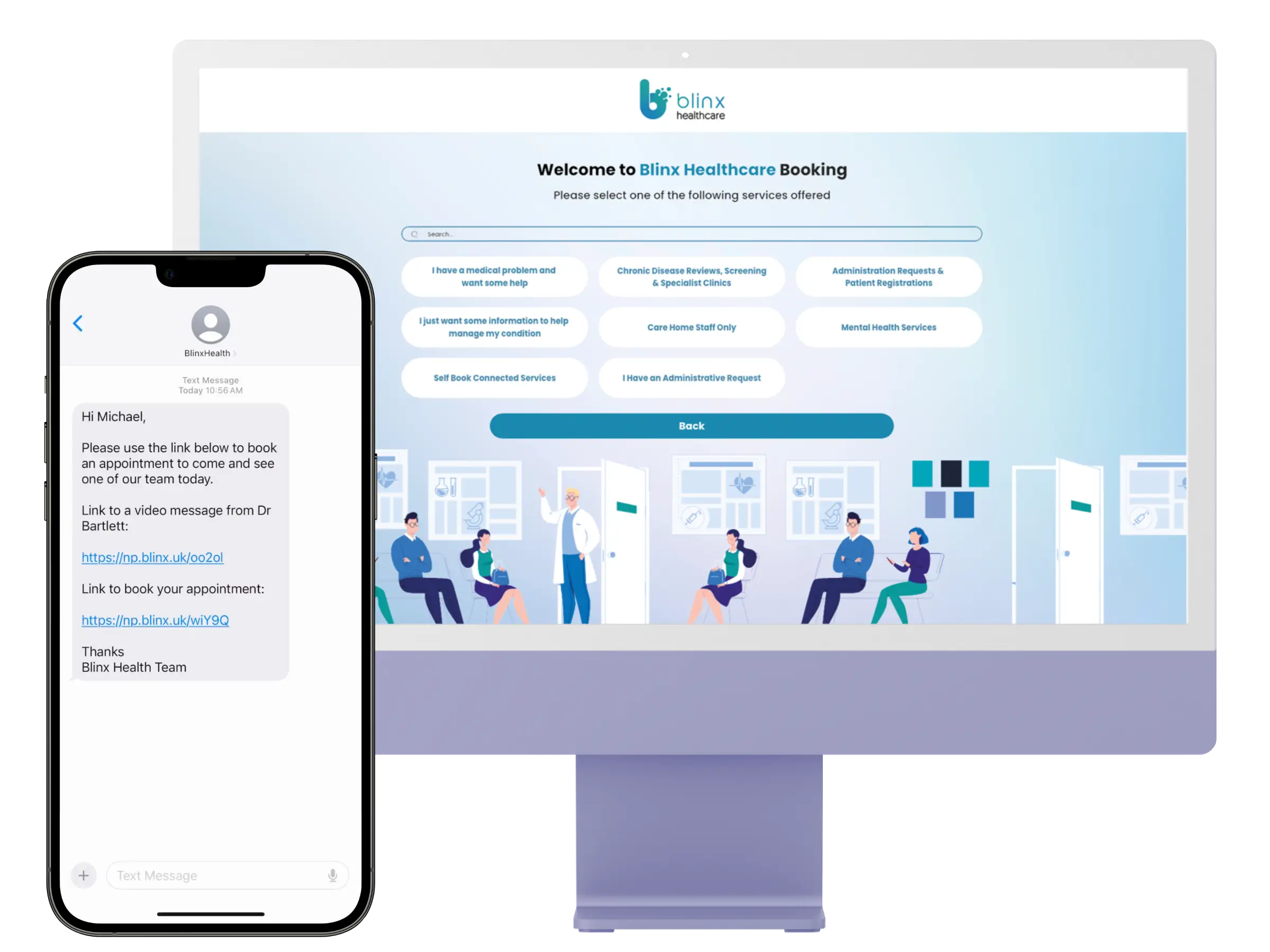
PACO patient communication options

Your practice may offer a Digital Front Door through its website, where you can explore the online services available to you, like completing health forms, exploring appointment options and finding helpful health information.
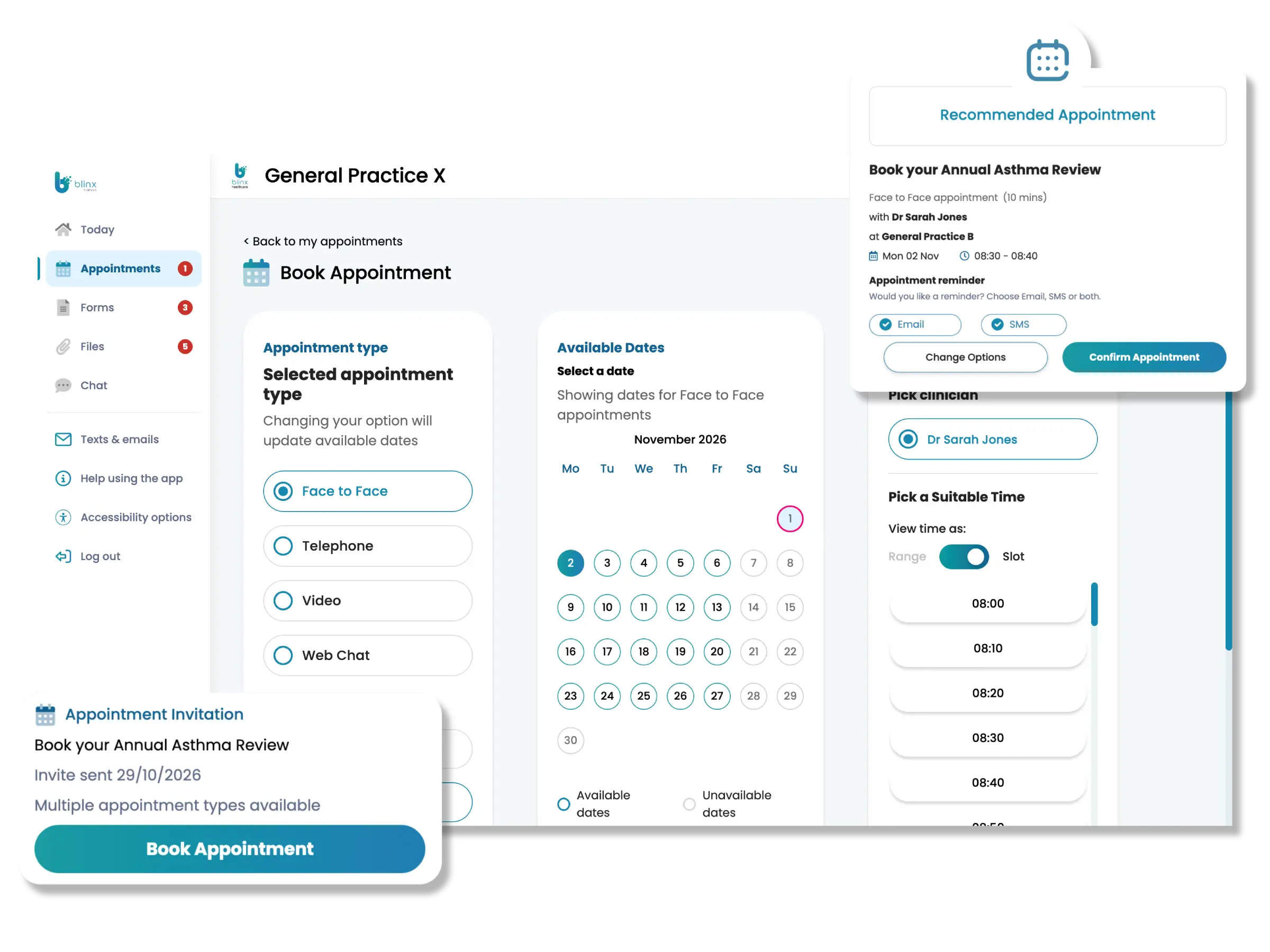
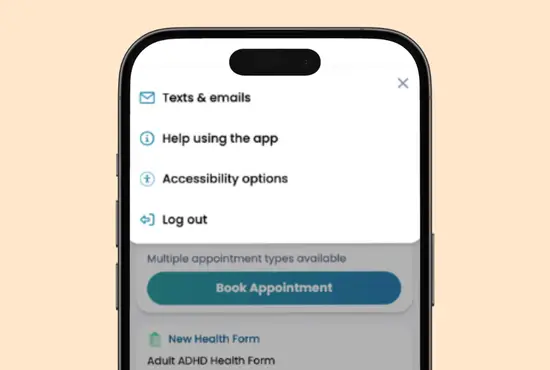
Managing Your Care With The PACO's Patient Hub

Manage appointments, complete forms and keep track of information from your healthcare practice – all in one place.

PACO patient portal appointments

Make PACO Work For You

Everyone accesses online information differently. PACO includes an accessibility tool that helps you adapt the portal to better suit your needs and preferences.

Whether you’d prefer content that’s easier to read, language support or other accessibility options, you can explore the available settings and choose what works best for you.

Need help? If you’re having difficulty accessing or using PACO, contact your healthcare organisation for support.

Find Your Practice's Online Services

Every healthcare organisation offers different online services and may use PACO in different ways.

  1. Search for your GP practice or healthcare organisation’s website.

  2. Look for options such as Online Patient Access, Digital Front Door or Submit a Medical Request.

  3. Follow the instructions and select the service you need, then follow the steps provided.

  4. Contact your healthcare organisation directly for help accessing PACO and its online services.
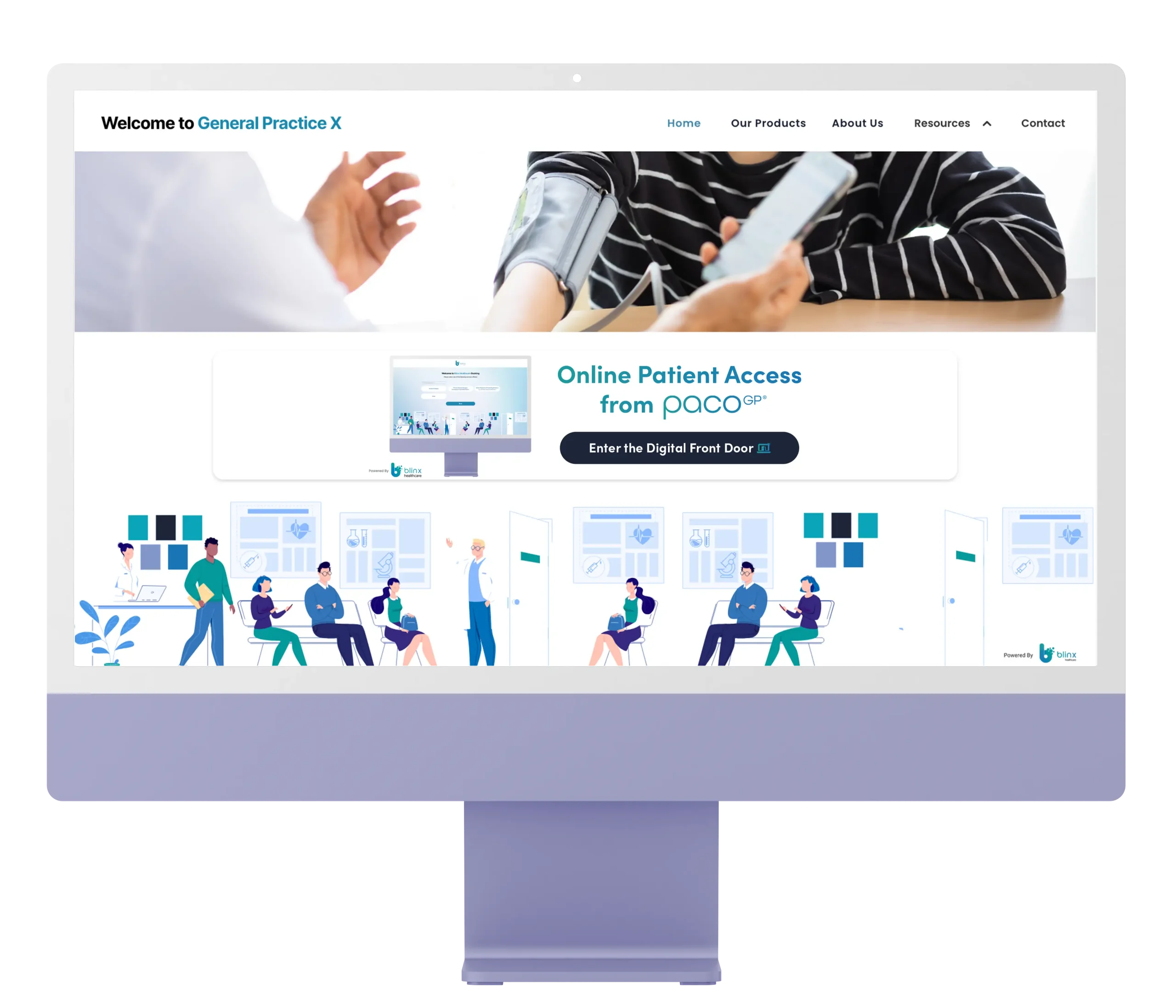
Example of a digital front door for finding online healthcare services

About Blinx Healthcare

Helping the people who care for you work together.

Blinx Healthcare is the company behind PACO. We develop software that helps healthcare organisations connect their services, support their teams and make everyday healthcare tasks easier to manage.

Healthcare often involves different systems that don't work together as well as they could. This can mean repeated work, harder-to-find information and delays.

Our aim is to help connect healthcare information, tools and teams so professionals can spend less time navigating systems and more time focusing on what matters most: caring for you.

Relieves Our Concerns

I sent the form and within 20 minutes had received a link to see the doctor urgently. I was able to book an appointment within 90 seconds and was at the practice 25 minutes later!

This helped to relieve our concerns and historically we would still have been waiting for the phone call back from the practice in the time it took for us to be seen.

Questions You May Have

Answers about accessing and using your PACO portal and practice online services via PACO

PACO FAQs
What is Blinx PACO?

PACO is software developed by Blinx Healthcare and used by healthcare organisations to support their online services.

Do I need to download an app?

No. You can access the Patient Hub through a secure link or your practice's Digital Front Door. You can also add it to your phone's home screen for easier access, just like an app.

Do I need to create an account?

No. There's no need to register, create a password or remember separate login details. You'll just need your NHS number and date of birth to securely access the Patient Hub.

How do I access the Patient Hub?

You can access the Patient Hub through a secure link sent by your practice, usually by text or email, or when you're guided there through the Digital Front Door.